Creator Blueprint Tasks in Zoho Creator
Here is our approach for working with Blueprint Tasks in Zoho Creator[cite: 13].
Even a non-technical person can easily set it up in just a few steps.
Approach
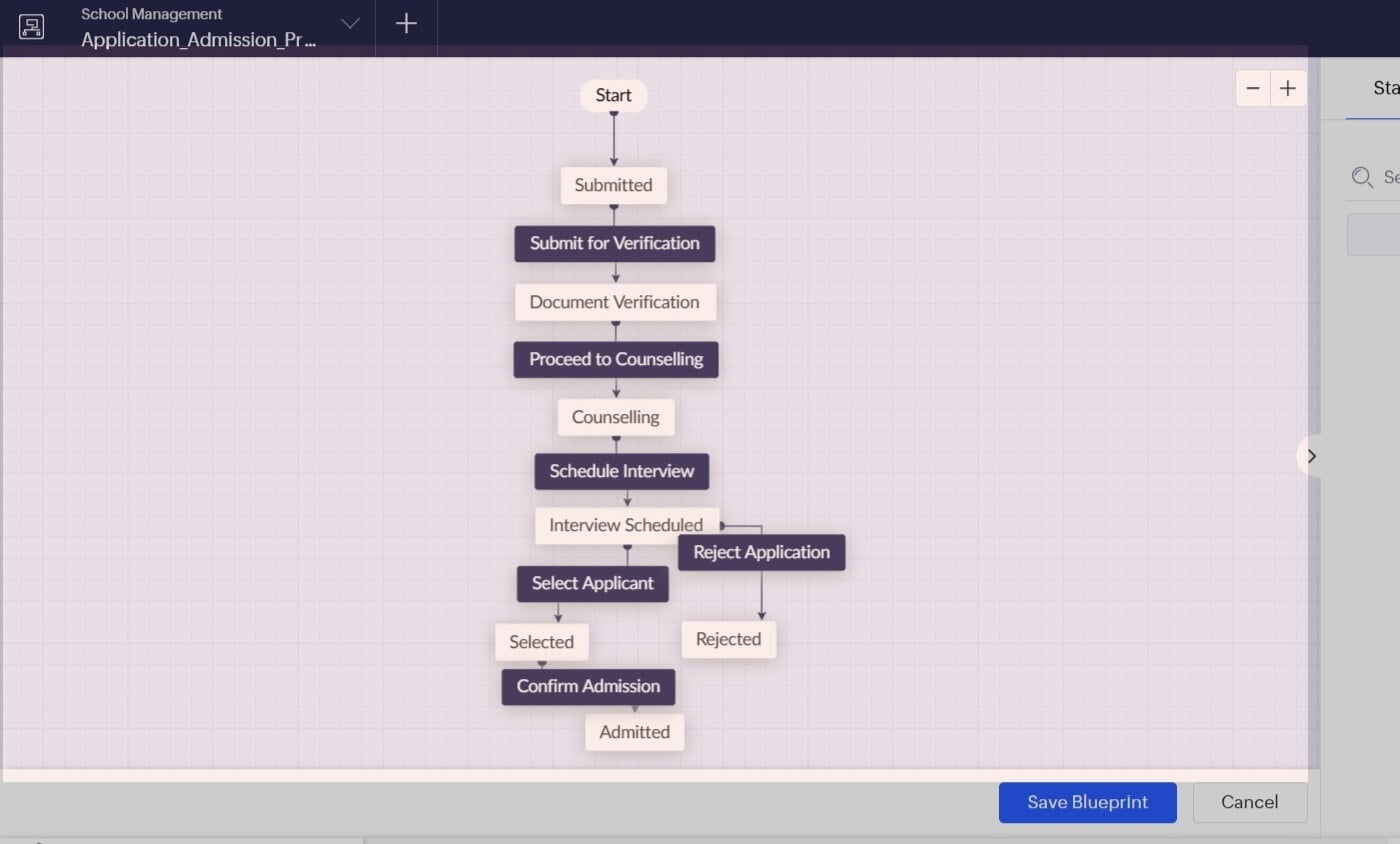
We can configure and manage Blueprint tasks in Zoho Creator using the steps given below[cite: 13].
Key Features Overview
1. Blueprint Attributes - Track applications and monitor workflow stages in real time.
2. Change Stage - Move applications directly to selected target stages using custom scripts.
3. Execute Transition - Trigger transitions programmatically by passing form names, blueprint names, transition names, and record IDs.
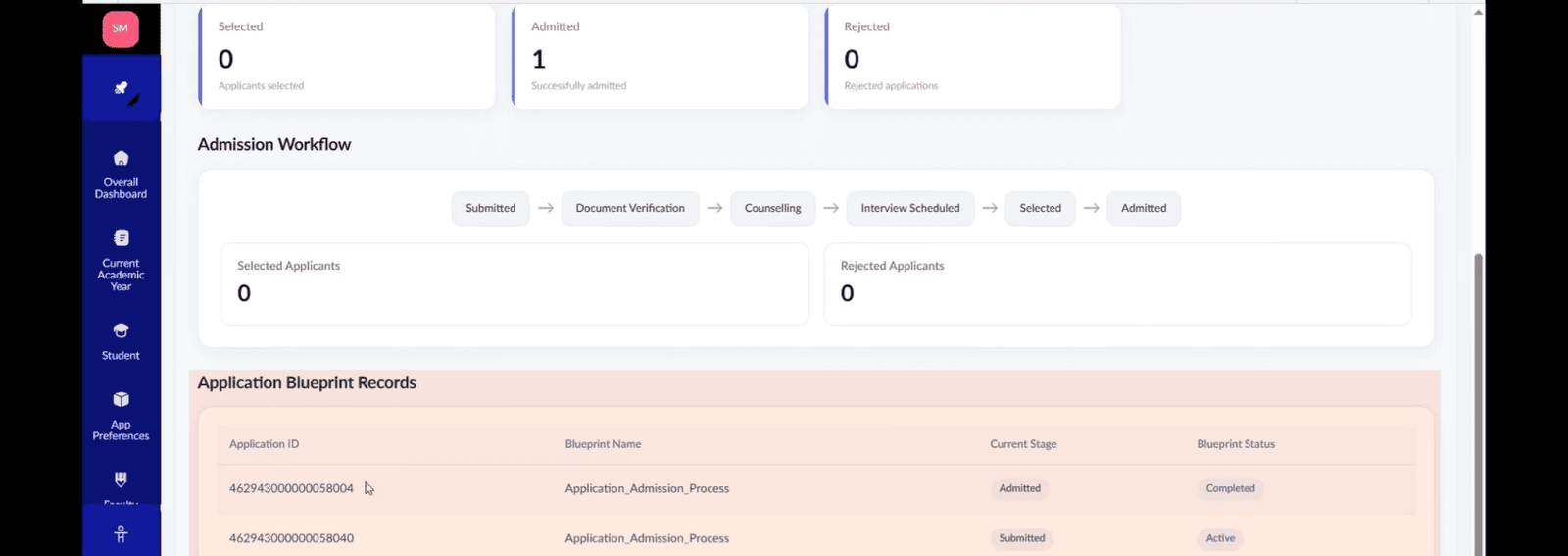
This dashboard displays student volume across every pipeline stage from submission to admission, alongside individual application records with custom status badges[cite: 7].
1. Blueprint Attributes
This dashboard uses Zoho Creator Blueprint Attributes to track admissions in real time, displaying top-level counts for total, active, and completed workflows across every pipeline stage[cite: 7].
// =========================================================
// APPLICATION BLUEPRINT DASHBOARD
// Form  : Application Form
// Blueprint : Application_Admission_Process
// =========================================================

BLUEPRINT ATTRIBUTES USED:
1. blueprint.Current_Stage
2. blueprint.Status

// -------------------------------------------------------------
// SUMMARY COUNTS
// -------------------------------------------------------------
totalApplications = Application_Form[ID != null].count();
activeApplications = Application_Form[blueprint.Status == "Active"].count();
completedBlueprint = Application_Form[blueprint.Status == "Completed"].count();
suspendedApplications = Application_Form[blueprint.Status == "Suspended"].count();
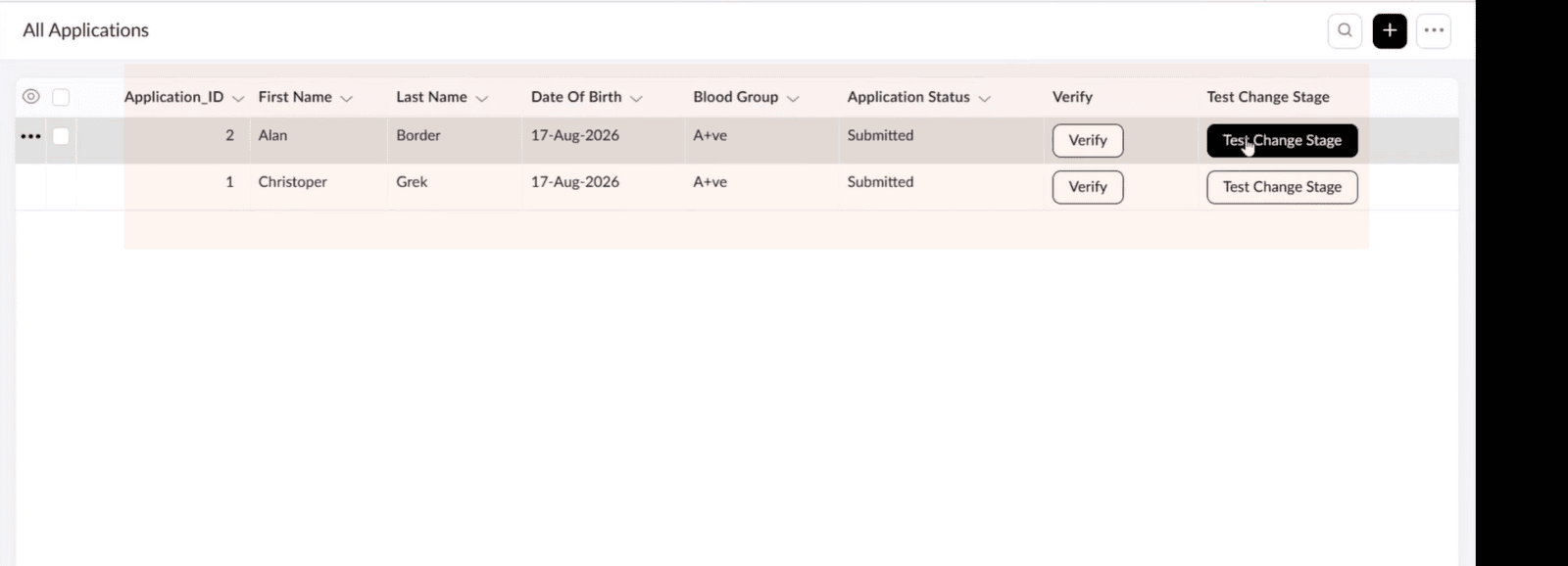
2. Change Stage
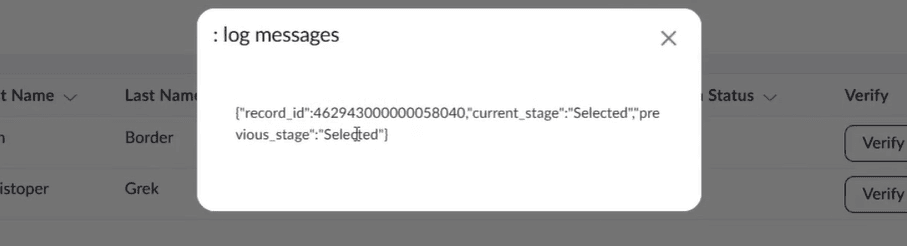
We use a simple Deluge script that uses the app blueprint change stage task to move an application directly to the selected stage[cite: 7].
record_id = input.ID;
result = thisapp.blueprint.changeStage
(
	"Application_Form",
	"Application_Admission_Pro",
	"Selected",
	record_id
);
info result;
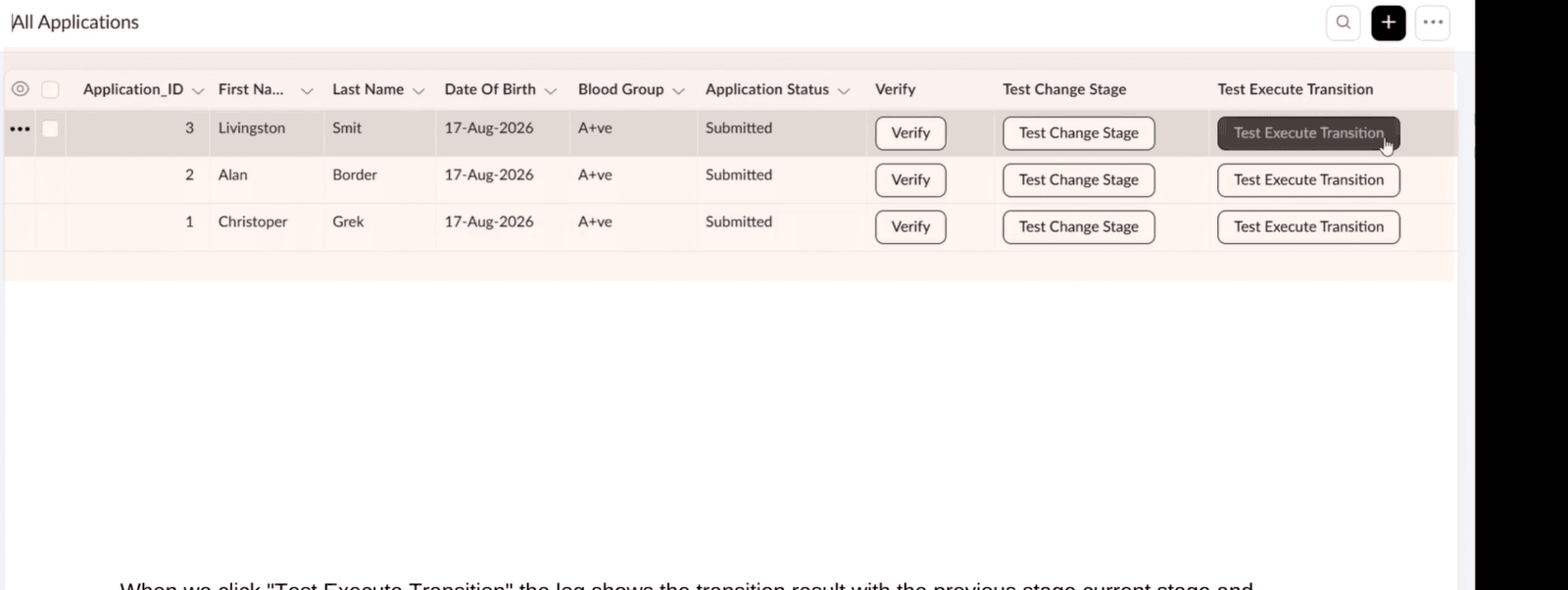
3. Execute Transition
We pass the form name, blueprint name, transition name, and the record ID to execute the specific workflow transition programmatically[cite: 7].
record_id = input.ID;
result = thisapp.blueprint.executeTransition
(
    "Application_Form",
    "Application_Admission_Pro",
    "Submit_for_Verification",
    record_id
);
info "Execute Transition Result: " + result;